 ×
×

One measurement.
One ABC Supply order.
AerialReports feeds your ABC Supply branch pricing straight into the estimate — no separate quote, no re-typing the material list, no rebuilding the order after the job sells.
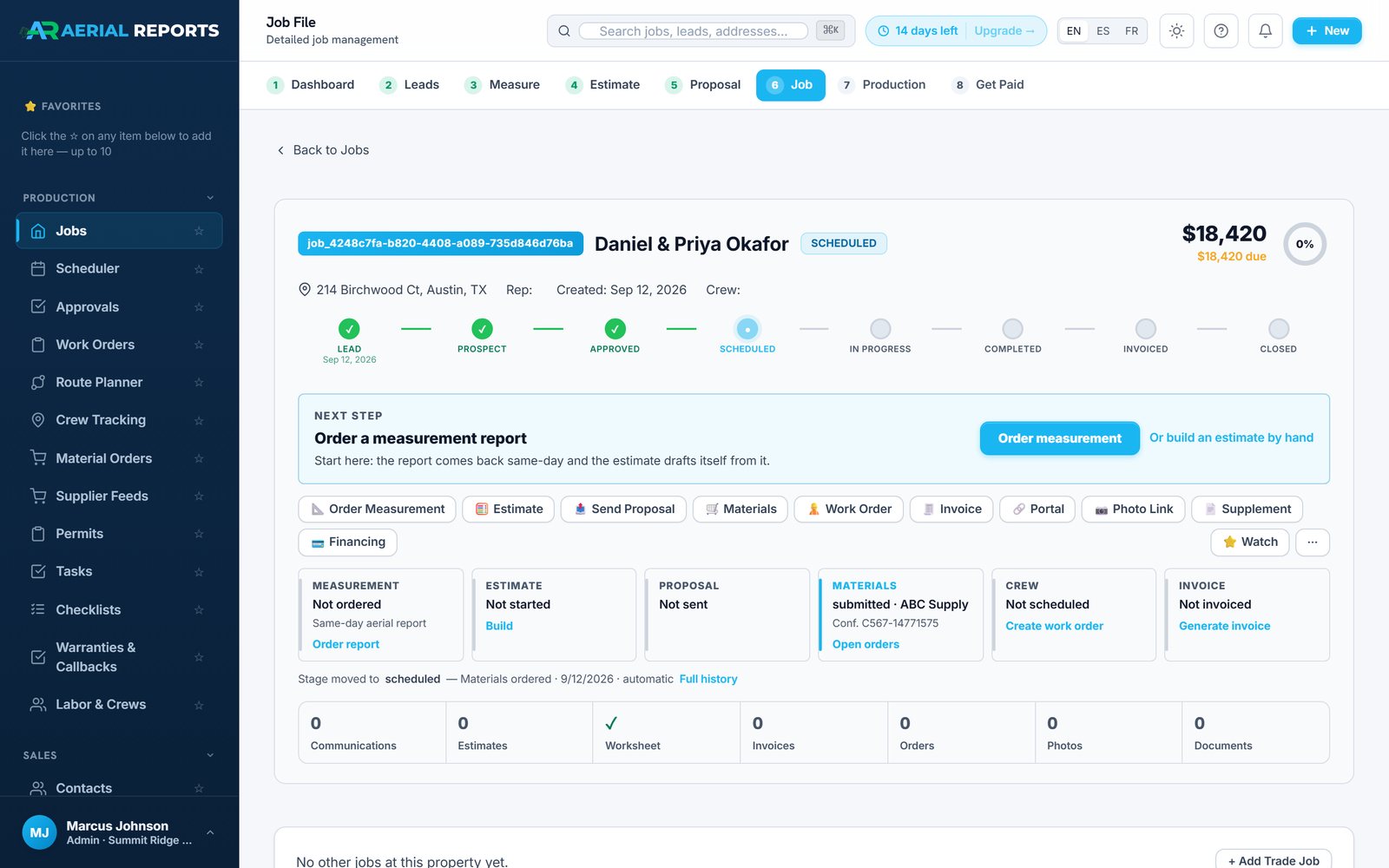
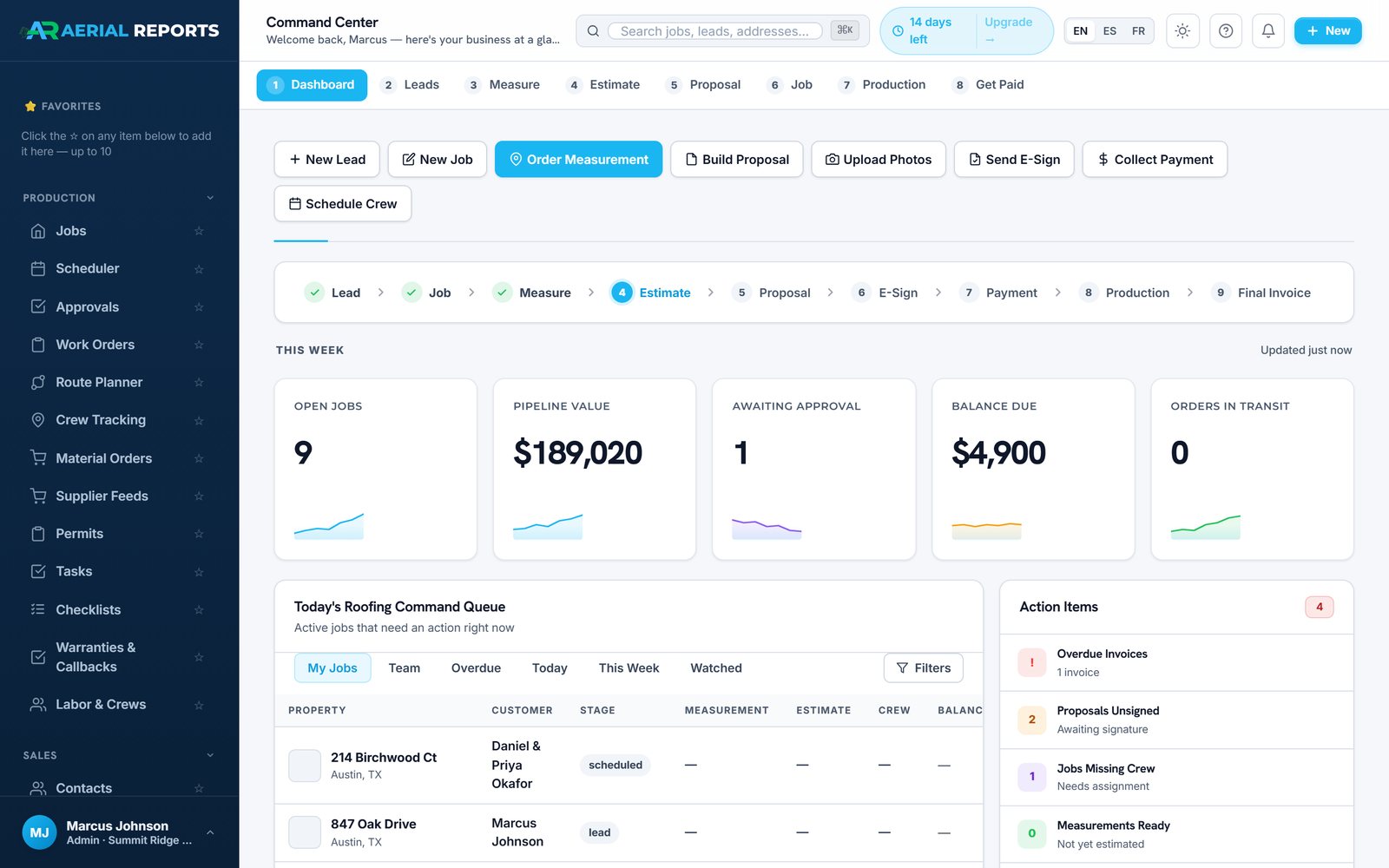
Every stage writes to the same property record. Nothing gets copied between systems, and nothing gets rebuilt after the job is sold.
Four real screens from the integration
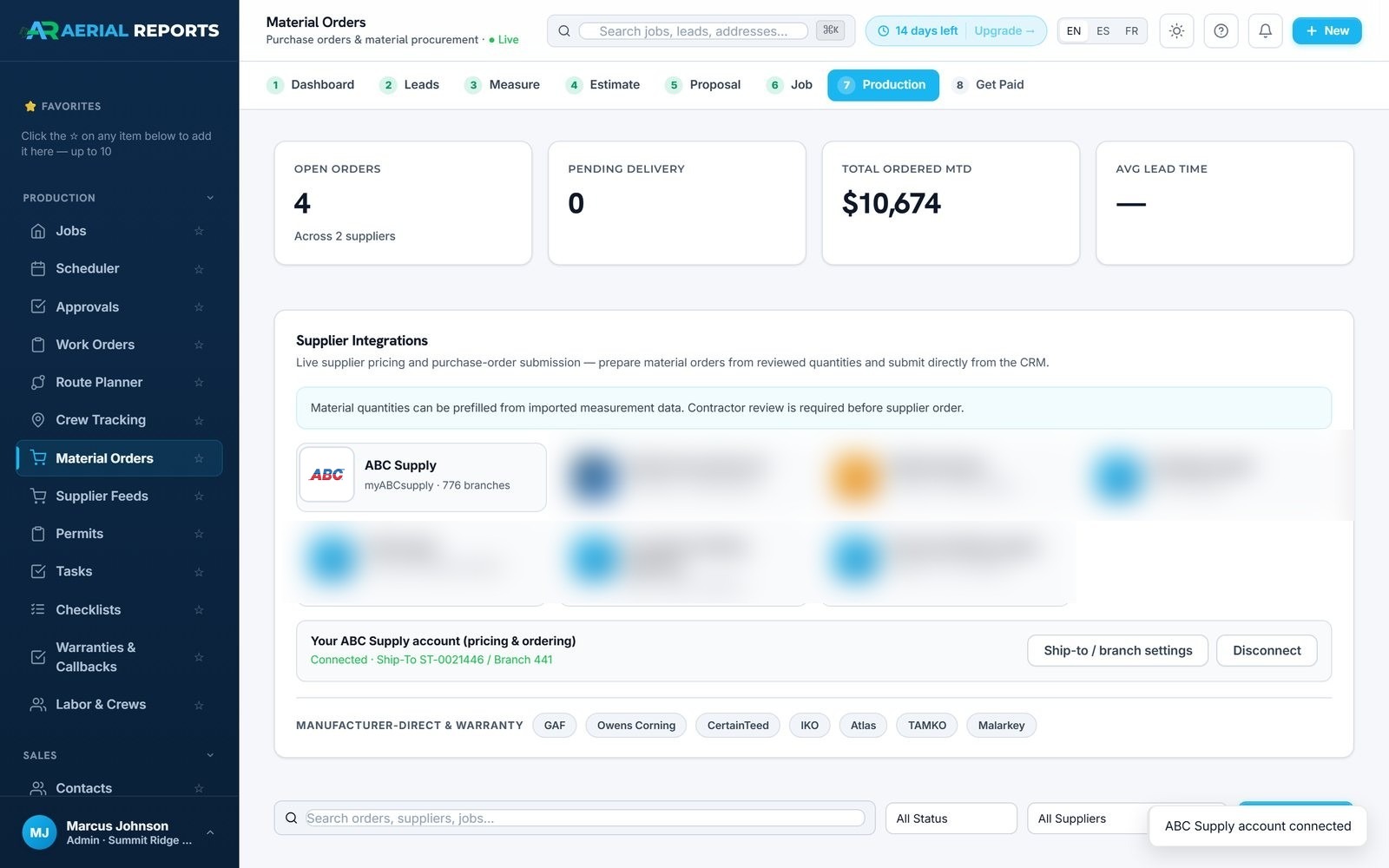
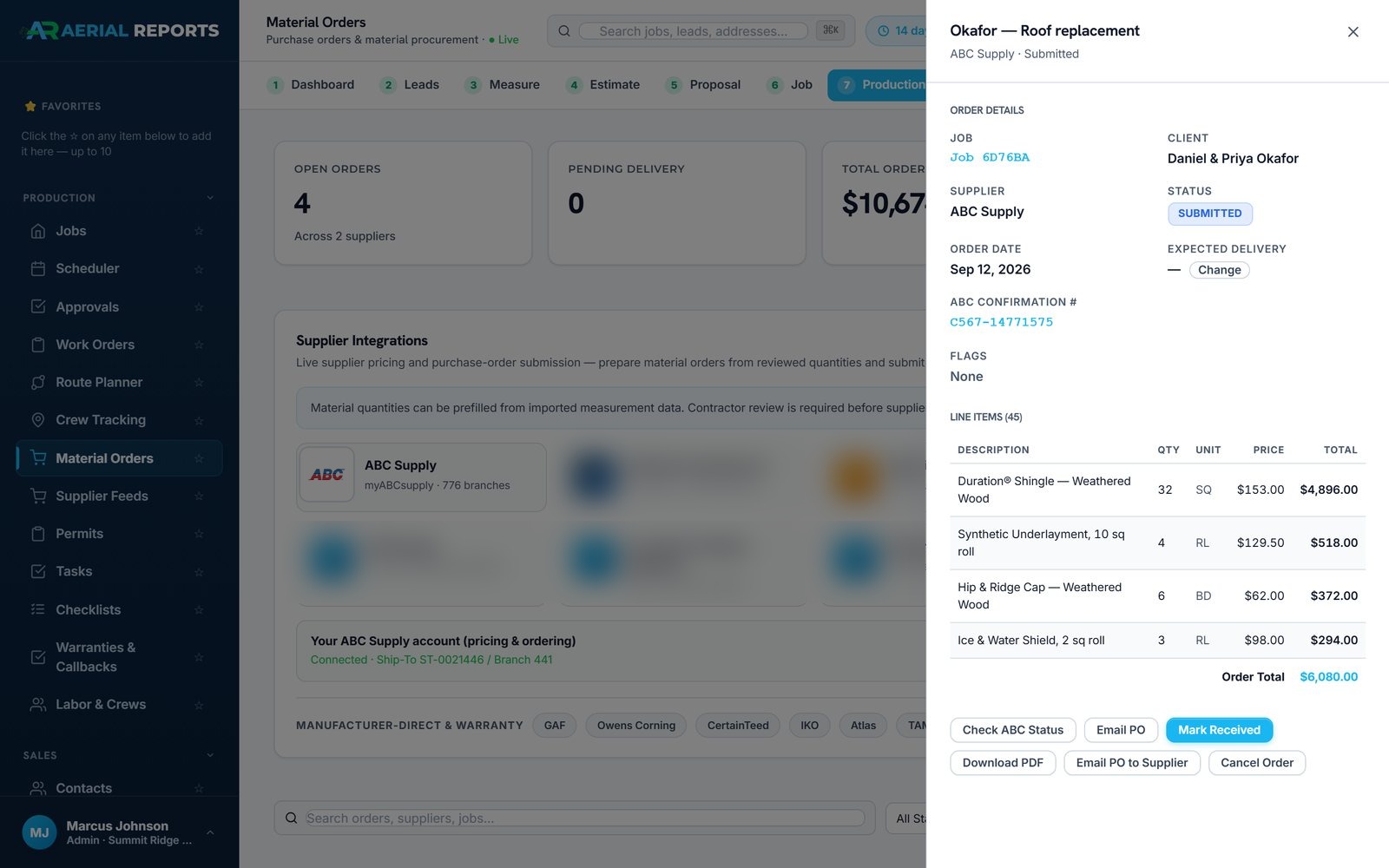
These are AerialReports screens, not mockups, captured from an account connected to ABC Supply's sandbox with sample customer data: the connected account, a branch price, the proposal and the order it produced.
Connect the account you already have
Authorize your myABCsupply account once. AerialReports keeps your ship-to and branch on file — every estimate and order after this uses the branch you actually buy from.
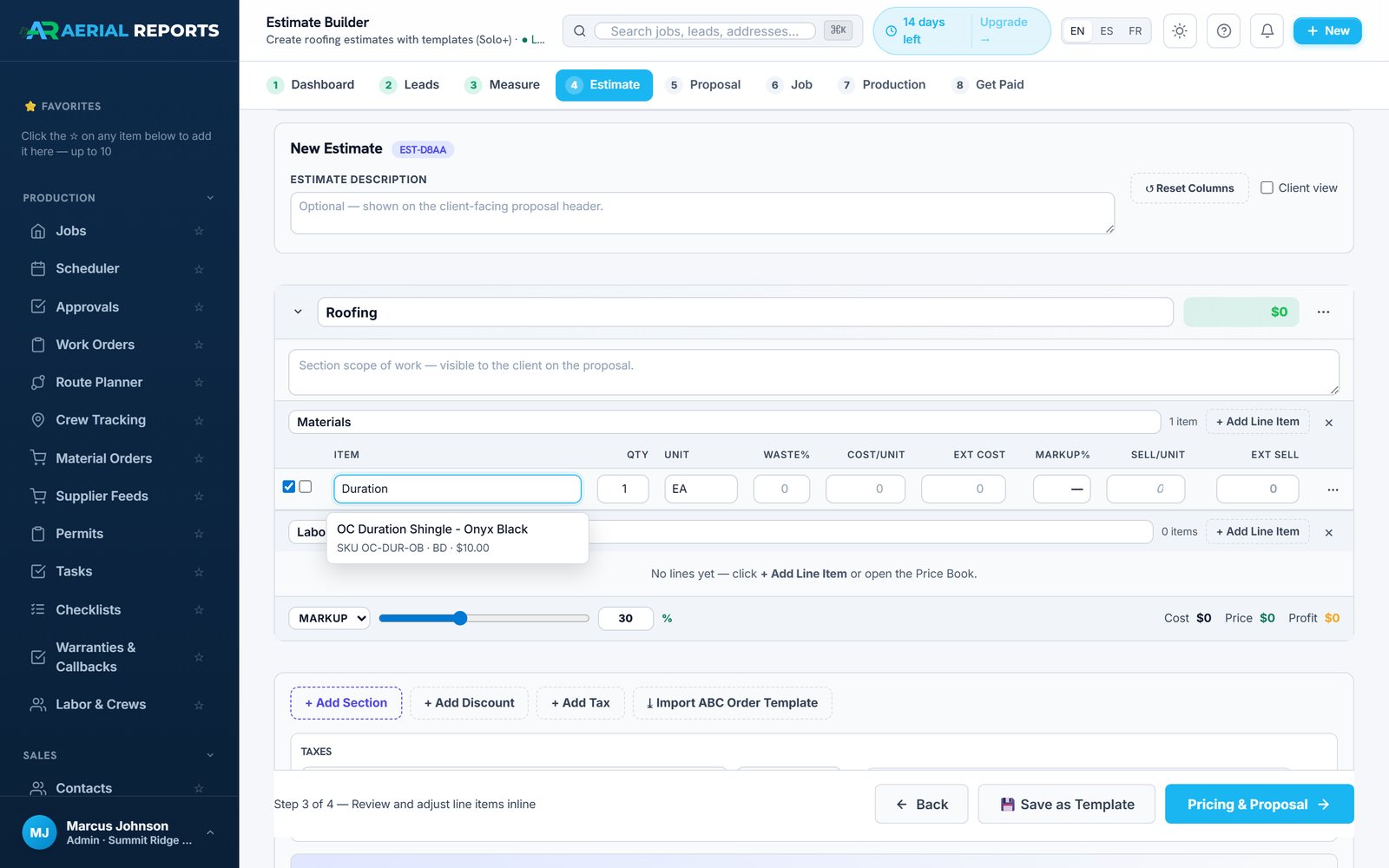
Type a material, get a real ABC price
The estimate's line-item field is a live ABC Supply catalog search. Pick the real item and its SKU, stocking unit, and your branch cost land on the line — no separate lookup.
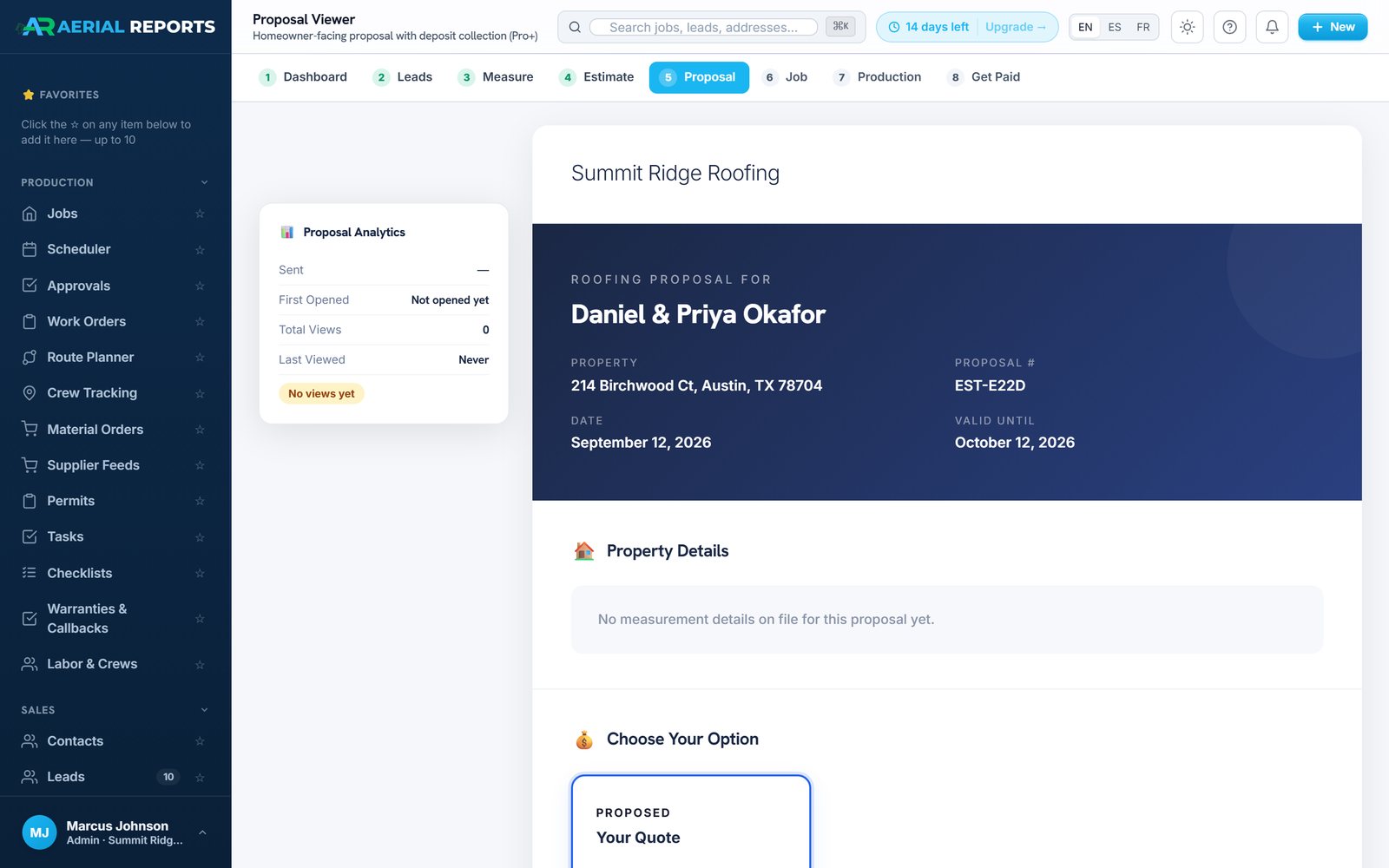
The homeowner sees your price, not ABC's
ABC cost is marked on the line; your markup calculates on top of it. The proposal that reaches the homeowner shows your sell price and goes out for e-signature and deposit.
Sold job in, ABC order out
When the job is sold, its approved quantities become the ABC Supply order — no rebuilding it by hand. Confirmation number and status live on the same job record.
Measurements for roof, siding, windows, doors, trim and gutters
AerialReports has run its own aerial measurement engine since 2014 — not a licensed third party — across more than 500,000 properties. Roofing, siding, or a full exterior restoration: the measurement product changes, the workflow doesn't.
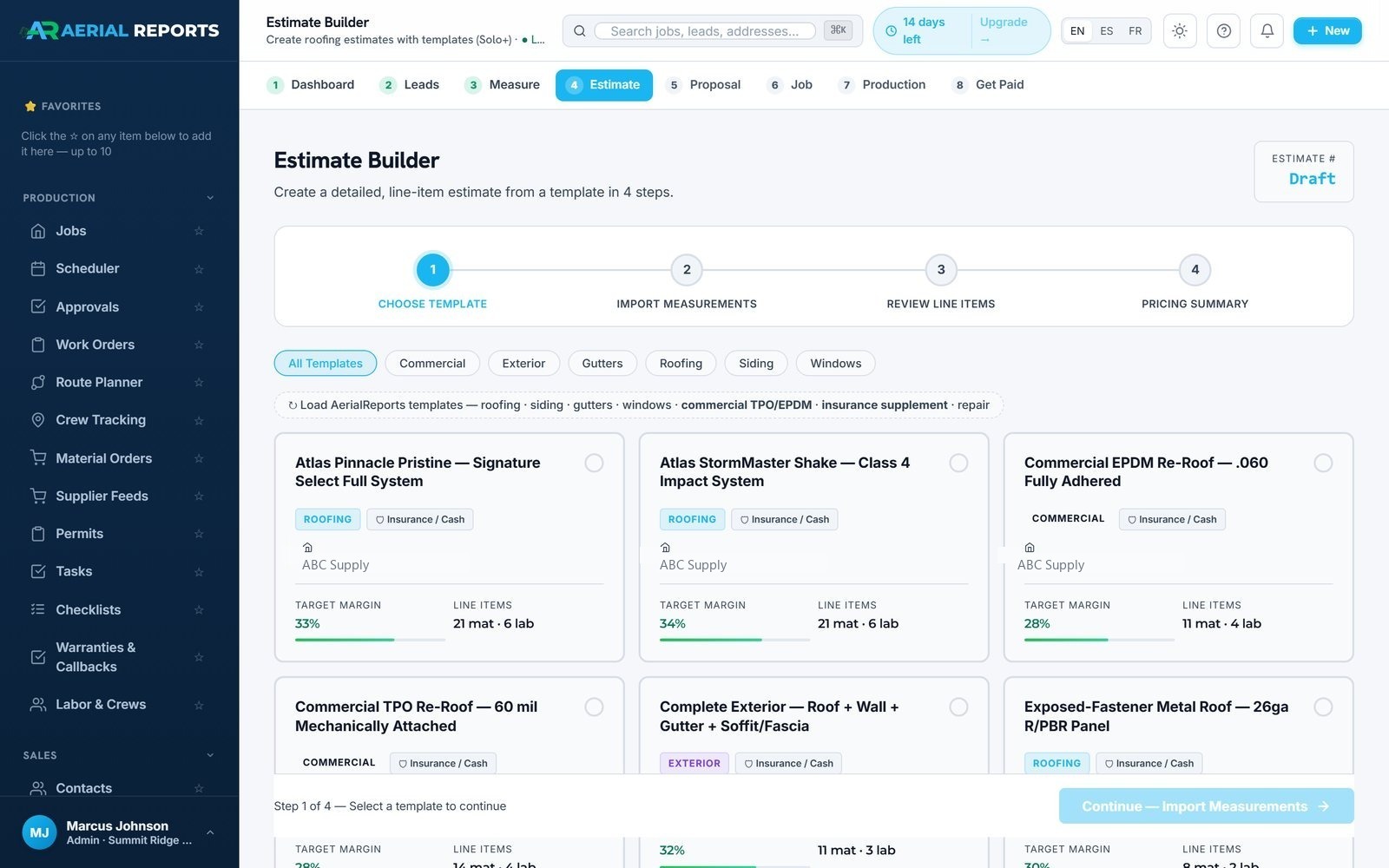
Estimate templates span roofing, siding, gutters, windows and commercial — including Complete Exterior packages that combine roof, wall, gutter and soffit/fascia scopes in one takeoff.
Your ABC Supply pricing, on the line item.
Connect your myABCsupply account once and the estimate builder searches your real, current ABC Supply catalog at your branch — not a static price list someone has to update by hand.

Interactive 3D view of the measured property
The 3D viewer shows the measured property to the homeowner as an interactive model. You can mark up damage together, compare materials and colors, and the measurement stays attached to the job through production.
The material order is one step in the job record
The ABC Supply integration sits inside the CRM, so the measurement, estimate, proposal, payment, order and production steps below all share one job record.
For contractors and for ABC Supply branches
Measure faster. Price with real ABC cost. Sell the job. Order without rebuilding it.
A connected digital workflow means cleaner project information reaching the branch, fewer manual handoffs, and an easier path from a contractor's job to an ABC Supply order — without changing how the branch relationship works.
What it saves you from retyping
No second price list
Estimates use ABC's real branch pricing directly — no separate spreadsheet to keep current.
No rebuilding the order
The sold estimate's quantities become the ABC order — the material list isn't retyped a second time.
No lost context
Measurement, estimate, proposal, order and production all sit on one job record, not four systems.
Six steps, property to production.
Connect ABC Supply
Authorize your ABC Supply account inside AerialReports and set your default ship-to and branch.
Measure the property
Order the roof or complete-exterior measurement that fits the scope of the job.
Build the estimate
Turn measurement quantities into an estimate and price ABC materials at your branch cost.
Send the proposal
Present the project to the homeowner — with the 3D view if you like — and collect an e-signature.
Create the material order
Turn the sold job into an ABC Supply order without rebuilding it. Review, set delivery, submit.
Move into production
Order status, property, documents, photos and crew activity stay together on the job.
Frequently asked.
Do I need an ABC Supply account?
Yes. You connect your existing ABC Supply account — account number, credit terms, and branch relationships stay exactly as they are. AerialReports is the estimating and ordering interface on top of it.
Does AerialReports replace my ABC Supply branch?
No. The integration is built to make working with your existing branch relationship easier, not to route around it.
Can I use my ABC Supply pricing in estimates?
Yes — directly. Connected ABC Supply branch pricing is what the estimate builder's material search returns.
Can I order materials from AerialReports?
Yes. Approved project quantities convert directly into an ABC Supply material order, and the confirmation and status track on the job.
Is AerialReports only for roofing?
No. AerialReports also measures walls, siding, windows, doors, trim and gutters — not just the roof.
Does AerialReports provide its own measurements?
Yes. AerialReports has run its own aerial measurement service since 2014, rather than relying on an outside measurement provider.
Does my measurement data stay with the job?
Yes. Measurement information stays connected to the property and the downstream estimating, ordering and production workflow.
One property.
One order.
Connect your ABC Supply account and put your branch pricing to work on the next estimate.